Dynamic Workflow Setup : Workflow Setup Procedures : Adding Navigation to a User-Directed Workflow

Adding Navigation to a User-Directed Workflow
You only need to add navigation to a user-directed workflow. (A punch-list workflow has no navigation--the user can do the tasks in any order. A punch-list sequential workflow has built-in navigation--the user must perform the tasks in order.)
For a user-directed workflow, you must open each task and designate the possible subsequent tasks. If a task has more than one assignee, the navigation can vary by assignee.
We suggest that you add navigation after you have added all the tasks to the workflow (so that all the tasks appear in the navigation setup). We also recommend that you plan the navigation by making a diagram.
If you do not add navigation to a user-directed workflow, the workflow will be unusable.
To add navigation to a workflow task
1
2
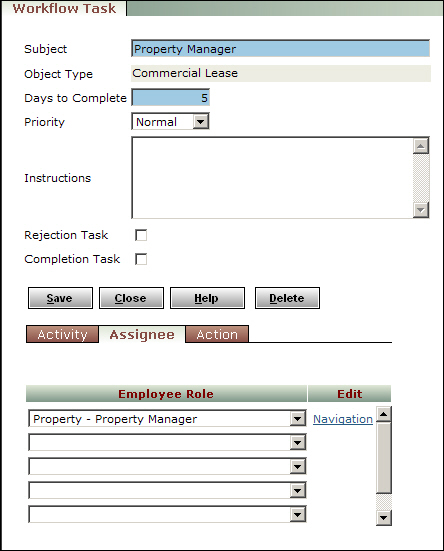
Click the Navigation link. The Navigation by Role screen appears.
3
4
Click Save.
5